
Webapp
Message board

Communication Chaos in Patient Care
When it comes to managing a patient’s cancer or organ failure care, communication between the care team—like the primary doctor, patient, surgeons, and specialists—happens through different platforms. This makes it tough to keep everyone on the same page. Plus, these doctors and specialists are juggling multiple patients, so they have to coordinate with different people for each one. All this back-and-forth ends up being time-consuming and unorganized, making communication harder than it needs to be.
Centralizing Communication: The Message Board Approach
To address these communication challenges, the approach taken was to create a message board system. This would serve as a centralized platform where all conversations related to a patient’s care could be collected in one place. By bringing everything together, the goal was to simplify communication and ensure that everyone involved—doctors, specialists, and the care team—could easily access the information they need.

Analyzing User Workflows and Messaging Platforms
The exploration started with different messaging apps to understand the common interface elements and mental models that users are already familiar with. The aim was to ensure that the care team—doctors, specialists, and others—could easily adapt to the system. Initially, personal messaging apps were considered, but the focus soon shifted to platforms like Slack and Teams. The next step was to understand what additional capabilities the team would need within the messaging feature and how their workflows with patients typically functioned.
Transforming Insights into Design Solutions
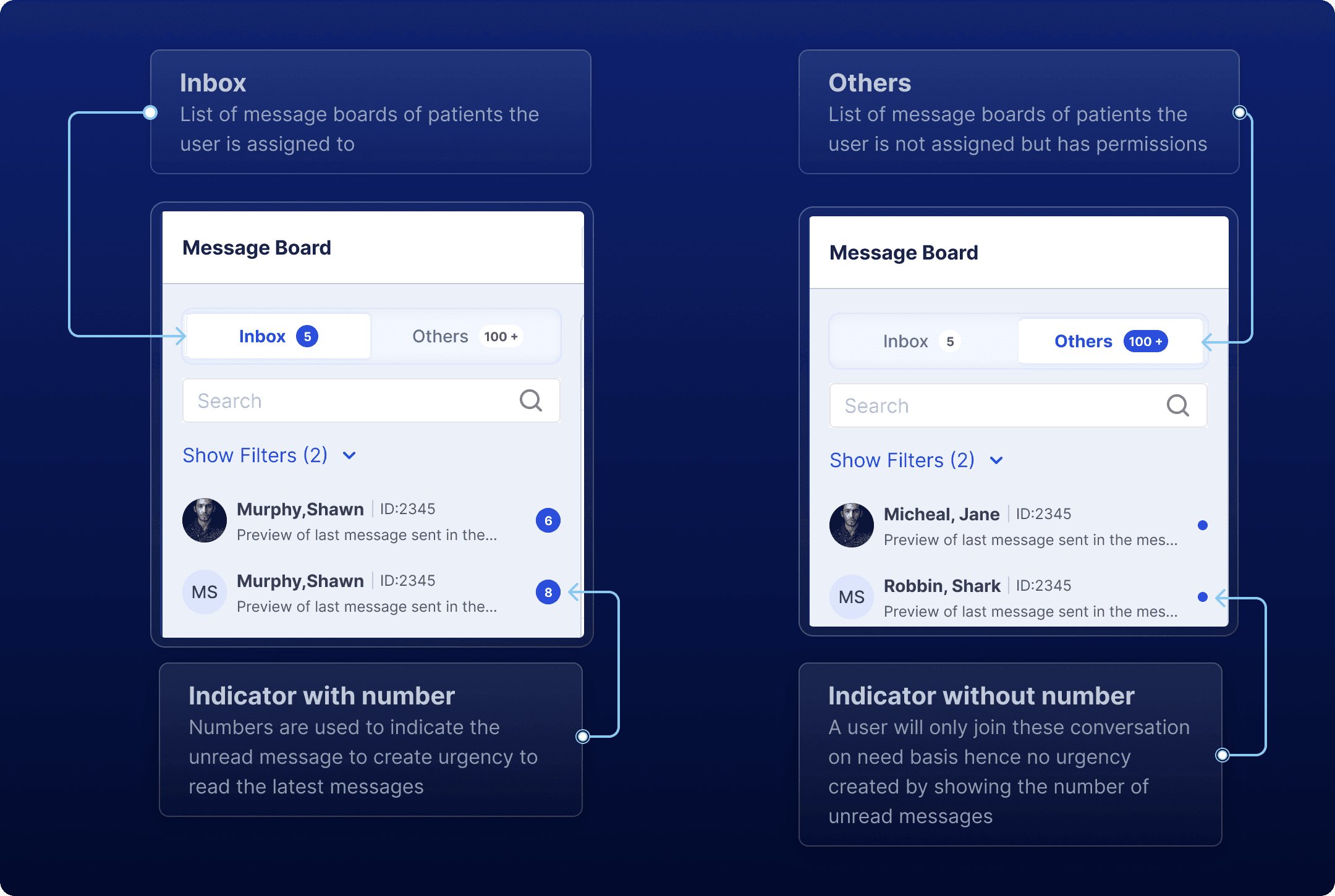
Structuring Conversations: Inbox and Others
After exploring the needs of the patient care team—doctors, specialists, and others—it became evident that their roles vary significantly when it comes to patient cases. Some team members are directly assigned to specific patients in their cancer or organ failure journey, while others may need to contribute temporarily to conversations about patients they aren't officially assigned to.
Organized Messaging: Context and Collaboration
In patient care, communication goes beyond just sending simple text messages. The patient care team—doctors, specialists, and others—often needs to share important reports and documents. To make this easier, the design includes a way to attach various document types to messages.
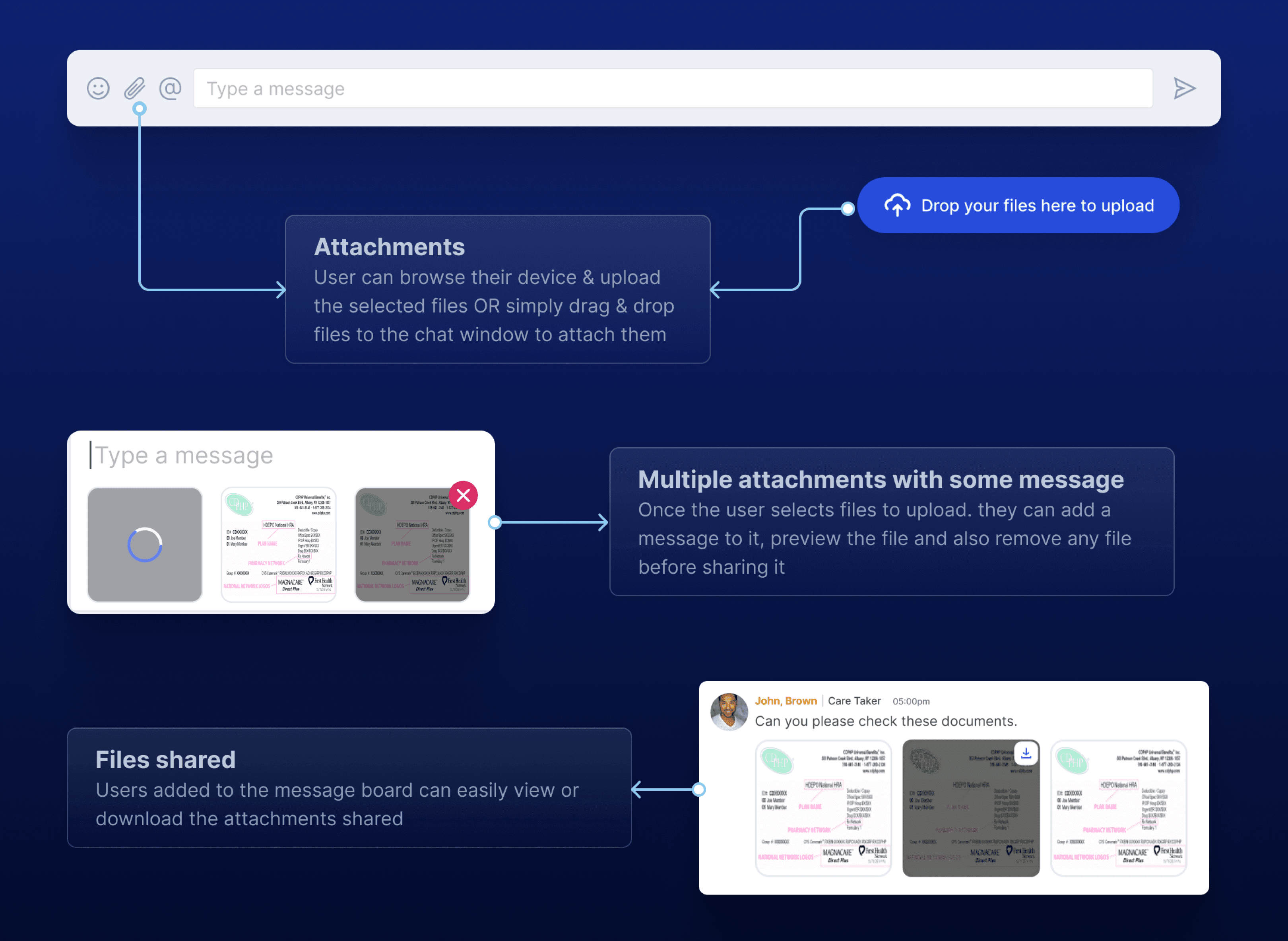
With multiple people involved in each message board, keeping track of individual messages can get tricky. To tackle this, the design allows for replies to specific messages, creating threaded conversations. This helps maintain context and ensures everyone can follow along without losing important details.
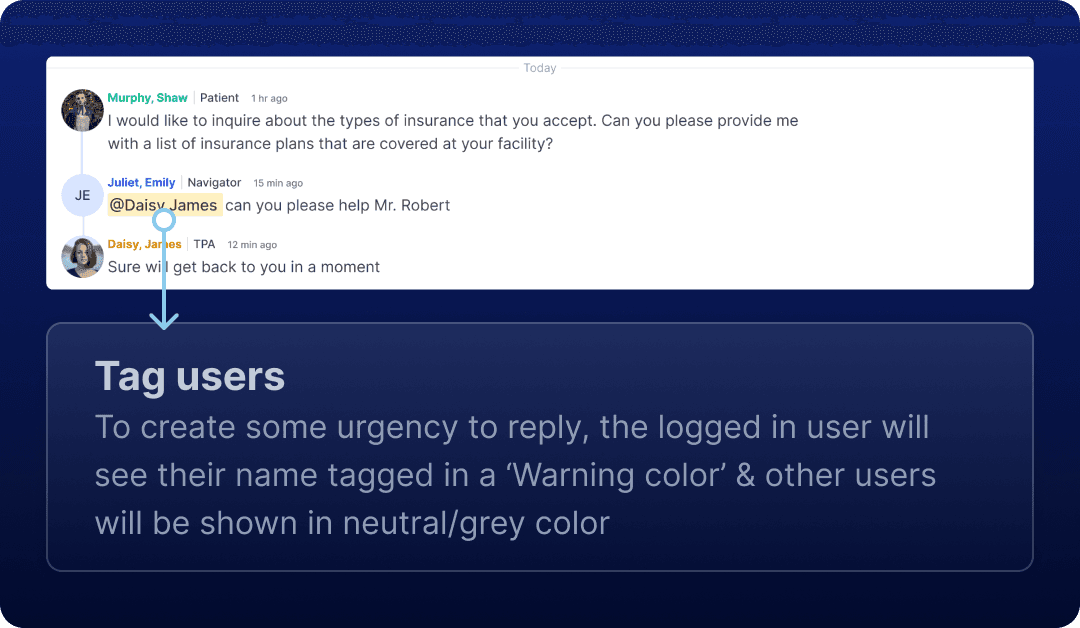
Each care team member also has specific tasks or roles, which means they might need to call out someone’s attention in a message. To make this happen, a tagging feature has been added, allowing users to mention specific team members. This way, it’s clear who needs to respond or take action, ensuring everyone stays in the loop.
Final Thoughts: Bringing It All Together
Designing a messaging system for patient care teams underscored the importance of effective communication in coordinating care. Insights into the different roles of team members informed key features, such as the separation of messages into Inbox and Others sections, the ability to attach documents, and threaded conversations for clarity. Additionally, tagging enables team members to call attention to specific messages, ensuring important details are not overlooked.
Understanding user needs shaped the design, focusing on simplicity and intuitive navigation to make adoption easier. This design journey highlights how thoughtful solutions can enhance communication among patient care teams, ultimately leading to better patient outcomes.